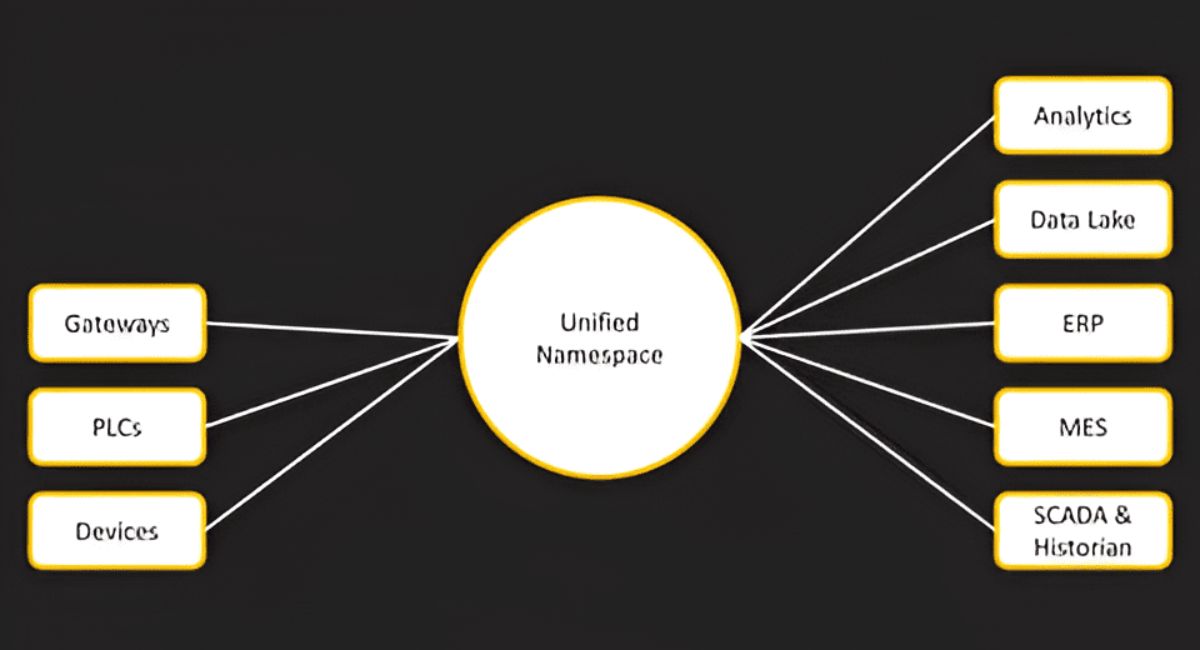
In the world of computing and software development, the term namespace is both foundational and far-reaching. Whether you’re working in programming, databases, networking, or cloud systems, namespaces play a critical role in organising, isolating, and managing complexity. This article provides a comprehensive, professional-level exploration of namespaces—what they are, why they matter, and how they are used across various domains.
What Is a Namespace?
At its core, a namespace is a container that holds a set of identifiers (names) and ensures that those names are unique within a defined scope. It acts as a logical boundary that prevents naming conflicts by distinguishing between entities that might otherwise share the same name.
Think of a namespace like a filing system in a large organization. Multiple departments might have employees named “Ali,” but each department keeps its own records. The namespace ensures that “Ali in Finance” is distinct from “Ali in HR.”
Why Namespaces Are Important
As systems grow in size and complexity, managing identifiers becomes increasingly difficult. Without namespaces, developers would constantly face naming collisions, leading to bugs, confusion, and maintenance challenges.
Key Benefits
1. Avoiding Naming Conflicts
Namespaces allow multiple entities to have the same name as long as they exist in different scopes.
2. Code Organization
They help group related functionality, making code more modular and easier to navigate.
3. Scalability
Large systems with thousands of components rely on namespaces to maintain structure and clarity.
4. Encapsulation
Namespaces provide a level of isolation, preventing unintended access or modification.
5. Reusability
Developers can reuse names across different contexts without interference.
Namespaces in Programming Languages
Namespaces are widely used in modern programming languages, though their implementation varies.
C++
In C++, namespaces are explicitly declared using the namespace keyword:
namespace Math {
    int add(int a, int b) {
        return a + b;
    }
}
To access the function:
Math::add(5, 3);C++ also allows nested namespaces and the use of using directives to simplify access.
Python
Python uses modules and packages as implicit namespaces. Every file acts as its own namespace.
import math
print(math.sqrt(16))
Here, mat is a namespace containing functions like sort.
Java
In Java, namespaces are implemented through packages:
package com.company.project;

public class Main {
    public static void main(String[] args) {
        System.out.println("Hello World");
    }
}
The package name defines the namespace hierarchy.
C# uses namespaces similarly to C++ and Java:
namespace MyApp.Utilities {
    class Helper {
        public static void SayHello() {
            Console.WriteLine("Hello");
        }
    }
}
JavaScript
JavaScript historically lacked built-in namespaces, but developers used objects to simulate them:
var MyApp = {
    utils: {
        greet: function() {
            console.log("Hello");
        }
    }
};
Modern JavaScript uses ES modules for namespace-like behaviour.
Namespaces in Operating Systems
Namespaces are not limited to programming languages—they are also crucial in operating systems, especially in Linux.
Linux Namespaces
Linux namespaces isolate system resources for processes. Each namespace provides a different view of system resources.
Types include:
- PID Namespace – isolates process IDs
- Mount Namespace – isolates filesystem mounts
- Network Namespace – isolates network interfaces
- User Namespace – isolates user and group IDs
These are foundational for containerisation technologies like Docker.
Namespaces in Containerization
Namespaces are a core building block of containers. They allow multiple containers to run on the same host without interfering with each other.
Example: Containers
Each container has its own:
- Process tree
- Network stack
- File system view
This isolation is achieved using Linux namespaces combined with control groups (cgroups).
Namespaces in Rubbernecks
In Kubernetes, namespaces provide a way to divide cluster resources between multiple users or teams.
Key Features
- Logical partitioning of resources
- Access control via role-based access control (RBAC)
- Resource quotas per namespace
Example
kubectl create namespace dev
kubectl create namespace production
Each namespace can have its own deployments, services, and policies.
Namespaces in Databases
Namespaces also appear in database systems, often referred to as schemas.
Example: SQL Schema
CREATE SCHEMA sales;

CREATE TABLE sales.orders (
    id INT,
    amount DECIMAL
);
Here, sales acts as a namespace for the orders table.
Namespaces in Networking
In networking, namespaces can refer to segmented environments where network configurations are isolated.
Use Cases
- Virtual networking
- Multi-tenant environments
- Software-defined networking (SDN)
Each namespace can have its own IP addresses, routing tables, and firewall rules.
Namespaces in Cloud Computing
Cloud platforms rely heavily on namespaces to manage resources across users and services.
Examples
- Resource groups in cloud platforms
- Tenant isolation in SaaS applications
- API namespaces to version services
Namespaces help ensure that resources from different customers do not conflict.
Types of Namespaces
Namespaces can be categorized based on their structure and usage.
1. Hierarchical Namespaces
These use a tree-like structure:
com.company.project.moduleCommon in Java and domain naming systems.
2. Flat Namespaces
All names exist at the same level:
file1, file2, file3Simpler but prone to collisions.
3. Distributed Namespaces
Used in distributed systems where naming is managed across multiple nodes.
Example: DNS (Domain Name System)
Best Practices for Using Namespaces
To use namespaces effectively, professionals should follow certain guidelines.
1. Use Clear Naming Conventions
Choose meaningful and descriptive names that reflect purpose and context.
2. Avoid Over-Nesting
Deeply nested namespaces can become difficult to manage and understand.
3. Maintain Consistency
Stick to a consistent naming pattern across the project.
4. Limit Scot
Keep namespaces as small as possible to reduce complexity.
5. Document Structure
Provide clear documentation for large namespace hiearchies.
Common Challenges
While namespaces are powerful, they come with challenges.
1. Namespace Pollution
Occurs when too many identifiers are placed in a single namespace.
2. Overhead
Managing multiple namespaces can increase complexity.
3. Learning Curve
New developers may find namespace structures confusing.
4. Debugging Issues
Errors related to incorrect namespace usage can be difficult to trace.
Real-World Application
Namespaces are everywhere in modern computing.
Software Development
- Organizing large codebases
- Managing dependencies
DevOps
- Container orchestration
- Environment isolation
Enterprise Systems
- Multi-tenant applications
- Microservices architecture
Data Management
- Schema separation
- Access control
Namespaces vs Scope
Although related, namespaces and scope are not the same.
- Namespace: Logical grouping of identifiers
- Scope: Visibility of variables in code
A namespace defines where names live, while scope defines where they can be accessed.
Future of Namespaces
As systems become more distributed and complex, namespaces will continue to evolve.
Trends
- Increased use in microservices
- Deeper integration with security models
- Expansion in edge computing
- Enhanced tooling for visualization and management
Namespaces will remain essential for managing complexity in next-generation systems.
Conclusion
Namespaces are a fundamental concept that underpins modern computing. From programming languages to operating systems, cloud platforms, and distributed systems, they provide a structured way to manage identifiers, avoid conflicts, and maintain order in complex environments.
Understanding namespaces is not just a theoretical exercise—it’s a practical necessity for professionals working in software development, DevOps, cloud computing, and beyond. Mastering this concept enables better system design, improved scalability, and more maintainable codebases.
In an era where systems are growing rapidly in size and sophistication, namespaces serve as the invisible architecture that keeps everything organized, efficient, and functional.